Know the clean was done properly, without driving there.
RoomZoom asks your cleaners for photos at the end of a clean and scores them with AI against your own checklist. You get a score and plain feedback for each room, and a record you can show your client.
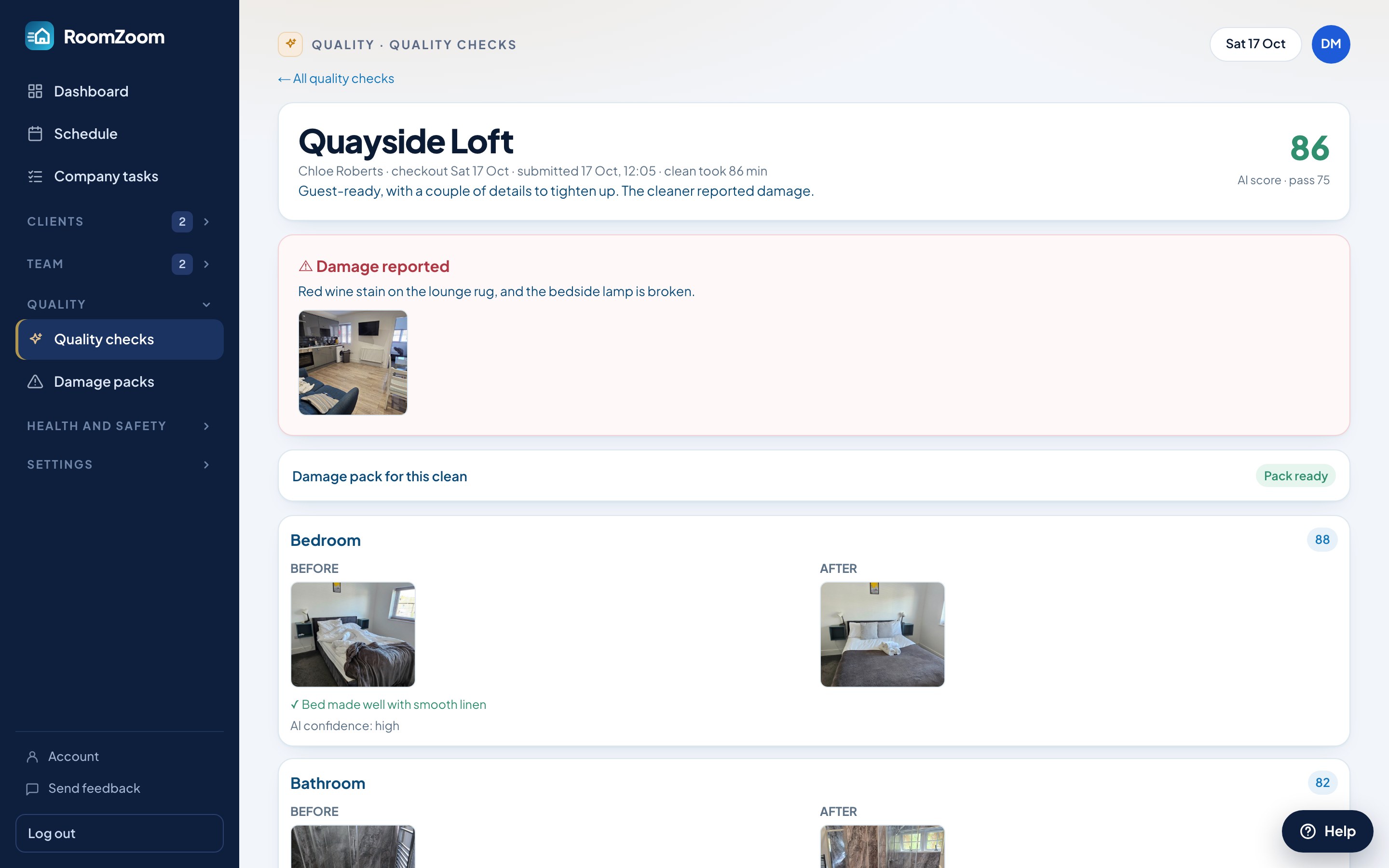
Photos at the end of the clean
You choose how often checks happen. When a clean is picked, the cleaner is asked for photos of each area before they finish, in the same app they clock in and out with. Checks are picked at random, so every clean is done as if it will be checked.
Scored against your checklist
The AI looks at each room and reports what was done well and what was missed: a creased duvet, a bottle left on the worktop, a bath mat not laid flat. Each area gets a score and the clean gets an overall one. It also flags photos that have been used before.
You have the final say
Review any check, change the score and add your own note. Your score replaces the AI's. Set the pass mark that suits your standards.
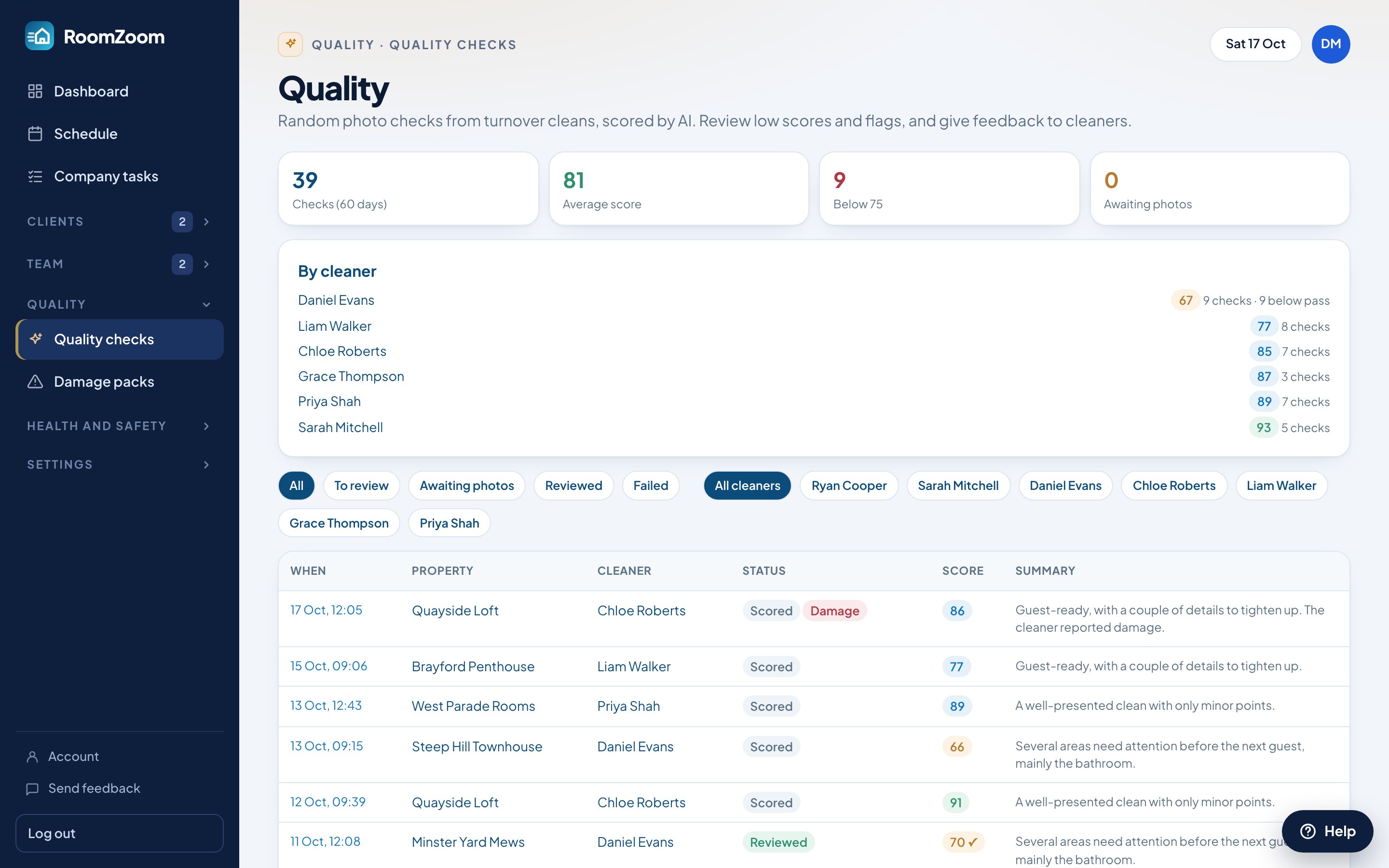
Scores by cleaner and by property
See each cleaner's average and each property's average over time, so you can spot who needs a word and which properties are harder than their price allows.
Share the photos with your client
If you choose, clients see the after photos for their own property in their login. They see photos only, never scores or feedback.
In short
- ✓Random photo checks at the end of a clean
- ✓AI scores each room against your checklist
- ✓Reused photos flagged
- ✓Average scores for each cleaner and each property
- ✓Optional photo sharing with clients
Questions
Does the AI replace a manager checking?+
No. It does the first look at every checked clean so you only need to open the ones that scored low. You can override any score.
Can I set my own checklist?+
Yes. You choose the areas and what matters in each, and separate lists for short lets, homes and offices.
Do clients see the scores?+
No. If you switch on sharing for a client, they see the after photos for their own properties and nothing else.
Is this on the free plan?+
Quality checks are part of Pro, and of the 14-day trial every new company gets.
Try it with your own properties
Sign up free, with no card. Every Pro feature for 14 days, then stay on the free plan or upgrade.
Sign up free